
Installation Support
A cleaner install starts with the right sequence.
From seat and storage accessories to phone mounts and in-car charging, ViaNest installation support helps you prepare your cabin, position each accessory carefully, secure it correctly, and check the final setup before your next drive.
 Cabin-ready installation guidance
Before you begin
Three checks before the first strap, clip, mat, mount, or cable.
A few minutes of preparation can make installation cleaner and help prevent unnecessary repositioning.
Confirm the product and vehicle area
Review the product shape, attachment points, orientation, and intended placement before removing protective films or tightening straps.
Clean the contact surfaces
Remove loose dust, moisture, oils, crumbs, or interior-care residue where clips, mats, organizers, suction mounts, or adhesive surfaces will sit.
Dry-fit before securing
Test the position first. Check nearby controls, seat movement, vents, storage lids, visibility, and cable reach before completing the install.
Choose your install path
Different cabin accessories need different finishing checks.
Use the guidance below as a practical starting point, then follow any product-specific instructions supplied with your item.
Seat & steering accessories
- Identify the correct orientation before stretching or fastening.
- Work gradually from one side to the other instead of pulling from one point.
- Check that controls, seat adjustments, buckles, and moving areas remain accessible.
Floor mats & protective pieces
- Remove loose items and existing removable mats from the installation area.
- Place each piece flat and align it with the intended footwell or protected surface.
- Use available retention points where the product and vehicle are designed for them.
Storage & comfort accessories
- Position organizers where doors, seat rails, and folding seat sections can still move.
- Distribute stored items evenly instead of concentrating weight in one pocket or corner.
- Tighten adjustable straps only enough to keep the accessory stable and aligned.
Phone mounts & charging accessories
- Test the viewing position before attaching or tightening the mount.
- Keep the device clear of gauges, primary controls, and important sightlines.
- Route charging cables away from pedals, steering movement, seat tracks, and sharp edges.
 Fit first. Secure second.
A reliable installation rhythm
Work in sequence instead of correcting the fit at the end.
Whether the accessory uses straps, clips, friction, adhesive contact, a vent attachment, or a storage anchor, the same basic sequence helps create a neater result.
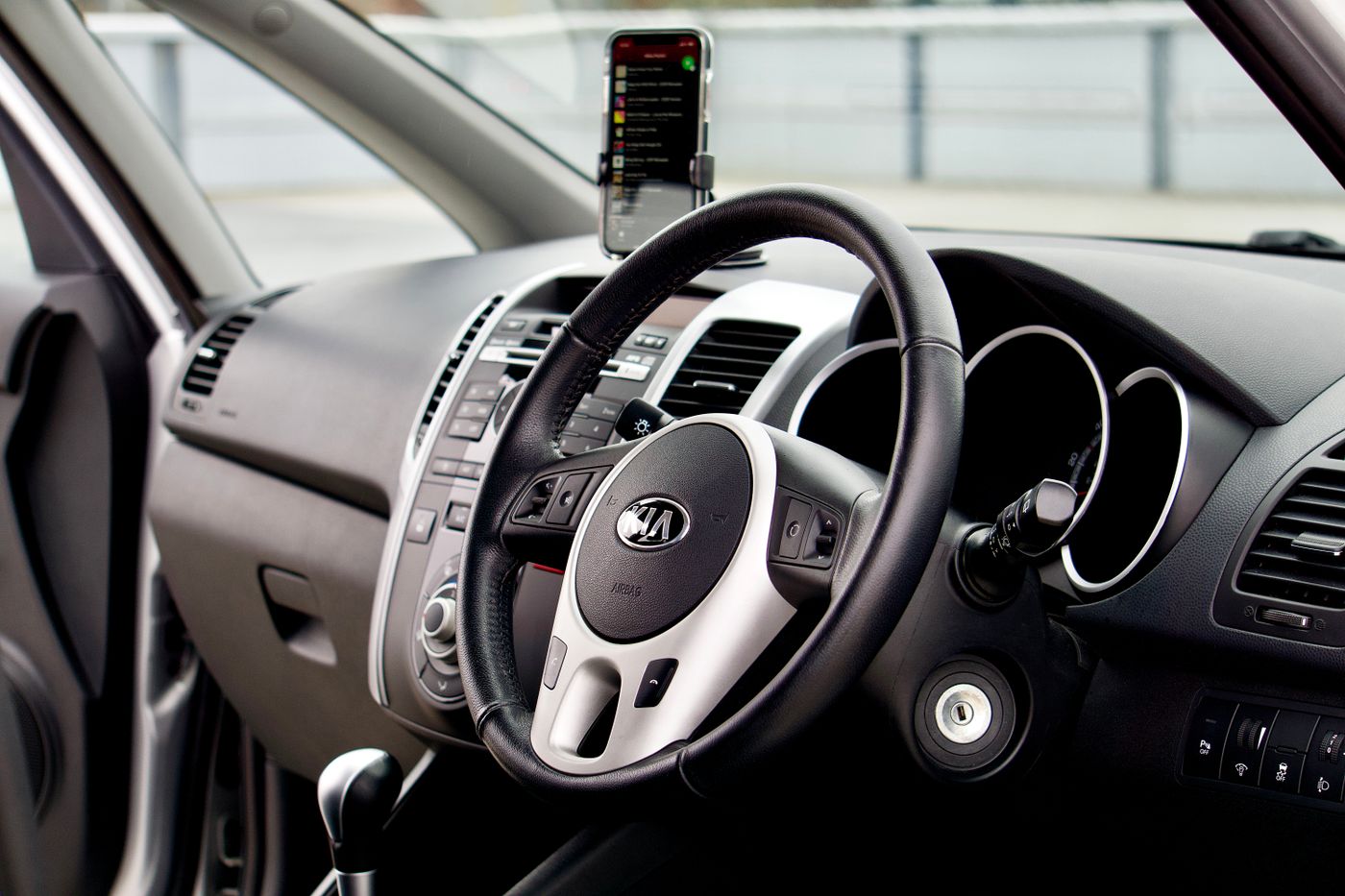 Mounting position matters
Do a seated-position check
Install from the driver or passenger position you will actually use.
A mount or organizer can look correctly placed from outside the vehicle but feel different once you are seated. Before final tightening, check reach, visibility, vent access, door clearance, seat movement, and cable routing from the normal occupant position.
Placement checks
Keep accessories useful without putting them in the way.
Vehicle interiors contain moving parts, controls, safety systems, wiring, vents, and visibility zones that should remain unobstructed.
Respect safety-system areas
Do not position accessories over areas identified by the vehicle manufacturer for airbags, sensors, seat-belt operation, or other safety equipment.
Keep driving controls clear
Pedals, steering movement, gear selection, parking controls, mirrors, displays, and frequently used switches should remain easy to access.
Route cables deliberately
Charging leads should not hang through the pedal area, become trapped in seat tracks, rub against sharp edges, or interfere with vehicle controls.
Storage installation
Check stability again after the organizer is loaded.
Trunk and cabin organizers can shift differently once compartments contain everyday items. After loading, confirm that straps remain tensioned, the organizer sits flat, and stored items are not pressing against moving seats, latches, doors, or access panels.
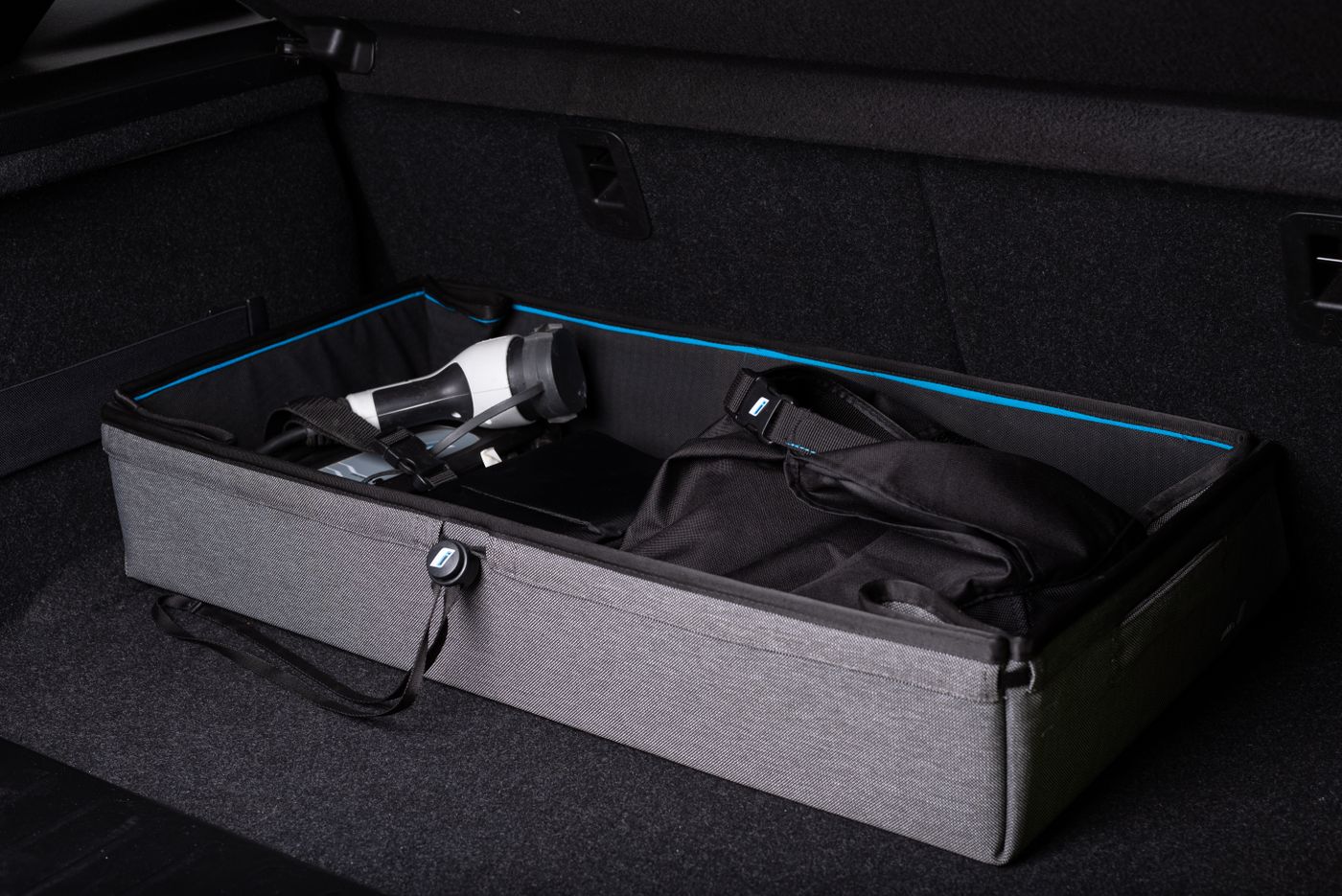 Organized vehicle storage
Quick troubleshooting
Common installation issues usually start with alignment, surface condition, or tension.
If the setup still does not look or feel right after these checks, avoid forcing the product and contact ViaNest for further guidance.
A cover or fitted accessory looks uneven
Release some tension, return the accessory to its centered position, confirm the orientation, then secure opposite sides gradually.
A suction or contact mount will not stay in place
Recheck whether the surface is suitable, flat, clean, dry, and free from dressing products or residue before attempting to reposition it.
An organizer shifts after loading
Reduce uneven weight, reposition heavier items lower in the organizer, then recheck each available strap or attachment point.
A charging setup feels unstable or awkward
Reposition the mount or cable before continued use. Check connector reach, device weight, cable tension, and nearby moving controls.
Need installation help?
Send the details that help us understand your setup.
When contacting support about fit, placement, attachment, or installation, include clear information about the product and the vehicle area involved. Photos are especially useful when the question relates to alignment or mounting.
- Your order number, if available
- The exact ViaNest product name
- Vehicle year, make, and model
- A brief description of the issue
- Clear photos of the installation area
- A photo showing the full accessory position
Installation FAQ
Useful answers before you reposition or reinstall an accessory.
For product-specific questions that are not covered here, contact the ViaNest support team with your product and vehicle details.
Should I fully tighten straps or fasteners immediately?
What should I do if an accessory does not appear to fit correctly?
Can I install a phone mount anywhere on the dashboard?
Why should the surface be cleaned before mounting an accessory?
When should I stop installation and contact support?
Should I check the installation again after using the vehicle?
ViaNest Support
Still unsure about the fit or installation?
Tell us which product you are installing, your vehicle details, and where the installation becomes unclear. Clear photos can help us understand the setup more quickly.